
Bibles built in
The Berean Standard Bible, the World English Bible, the ASV and 13 in Spanish, without buying each one for each computer.
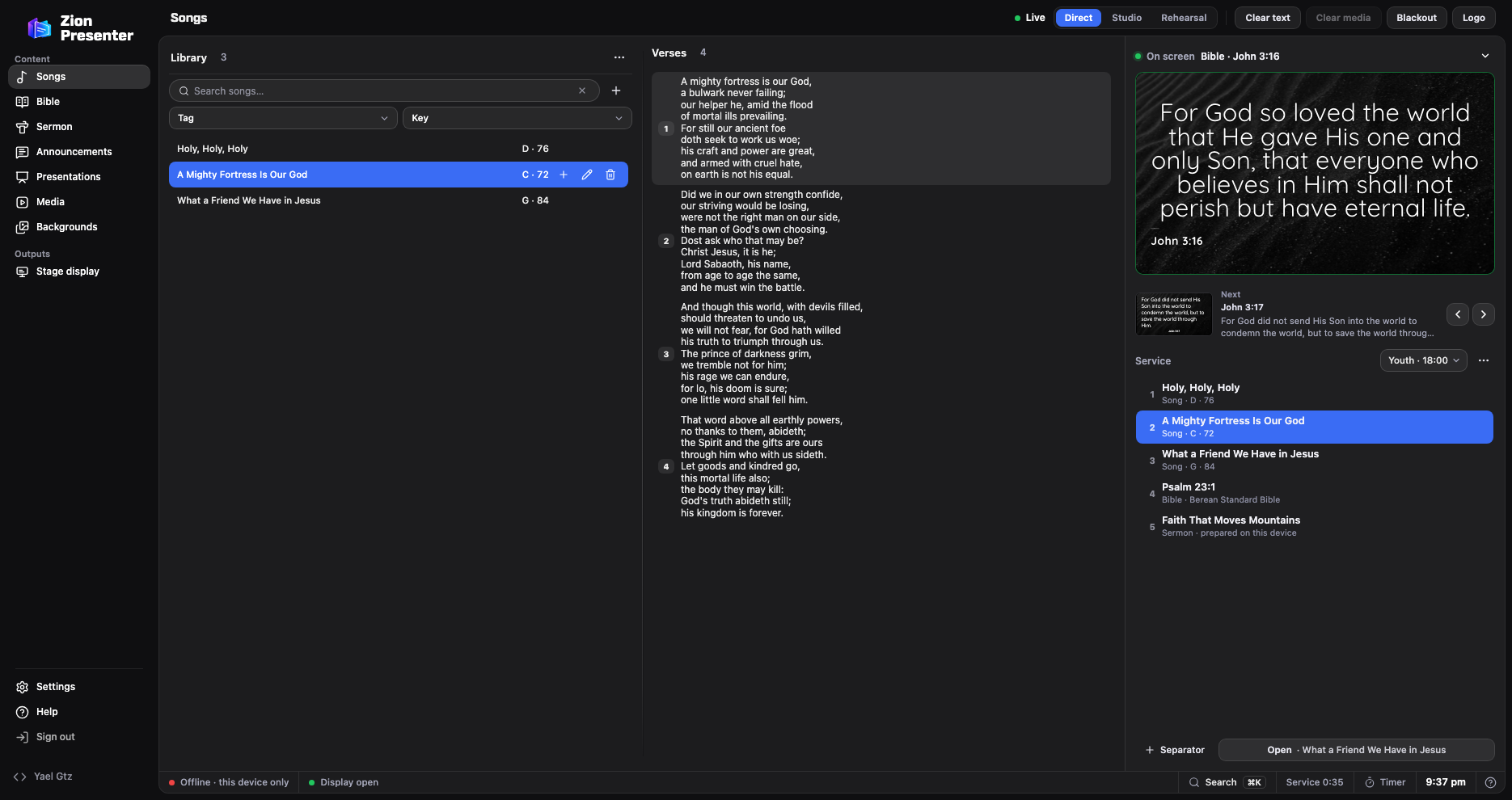
Zion Presenter projects songs, Scripture, announcements and the sermon on Windows, Mac or the browser, with a stage display and an output for OBS. It’s free on every computer you have and reads your songs from ProPresenter 4, 5, 6 and 7.
| ProPresenter | Zion Presenter | |
|---|---|---|
| Price | 289 USD a year per computer, or 29 a month; 189 each for 2 to 4 computers | Free, on all your computers |
| Licensed Bibles | Bought separately, such as the RVR1960 or the NVI: 15 USD each per computer | 16 built in: 13 in Spanish, with the RVR1960 and the NTV, and 3 in English |
| Platforms | Windows and Mac | Windows, Mac and the browser |
| Stage display | Yes | Yes, with what’s on screen, what’s next and messages |
| Phone remote | ProPresenter Remote app | From the phone’s browser, with a QR code |
| Masks for LED walls | Yes | Yes, on each screen |
| For the livestream | NDI, SDI and Syphon with transparency | One NDI output with transparency in the Windows and Mac apps, plus the transparent viewer for OBS and vMix |
| SongSelect | Built in | Imports the song you download or copy from SongSelect, with authors and CCLI number |
| MIDI | Receives and sends MIDI, and follows timecode | Receives: a keyboard, a pedal or the sound desk advances the slides, in Chrome, Edge and the Windows app |
| Planning Center | Built in | Not yet |
ProPresenter prices and features from Renewed Vision’s pricing and its feature list, checked in November 2026.
Four steps, and ProPresenter stays just as it was.
Open the ProPresenter folder in Documents, then open Libraries.
In Songs, open the Library’s ⋯ menu › Import › ProPresenter.
The .pro files in your library, or drag in the folder. A playlist exported as .proplaylist arrives with its order and keys.
You see each song’s lyrics, its key and whether it has chords before you import it, and nothing is deleted.
The Berean Standard Bible, the World English Bible, the ASV and 13 in Spanish, without buying each one for each computer.
The title, points and Scripture references in your design, and the preacher sees what’s next on the stage display.
Shape each screen with its own mask, walls built from panels included, and set margins per screen.
Scan the QR code and move through songs and verses without installing anything.
Zion’s actions run from buttons, including from Bitfocus Companion.
The same app on all three, with your account to carry your songs from one computer to another.
If your church uses several SDI or NDI outputs, Planning Center, or timecode automation, ProPresenter does things Zion can’t yet. If you project on one or two screens and stream with OBS or over NDI, Zion covers the whole service for free.
No. Zion only reads the files in your library: ProPresenter stays the same.
No: the lyrics, the verse order, the key and the chords come over when the file has them. In Zion you pick a style and it applies to all your songs.
Yes. No ads, no subscription and no watermark, on every computer in your church.
For the full panel, yes, and it’s free. The demo opens without signing up, so you can try it first.
ProPresenter, Planning Center and SongSelect are trademarks of their respective owners, and NDI® is a registered trademark of Vizrt NDI AB. Zion Presenter is not affiliated with them; it only reads the files ProPresenter and SongSelect save or export.