
16 Bibles built in
The Berean Standard Bible, the World English Bible, the ASV and 13 in Spanish, with nothing to pay per version.
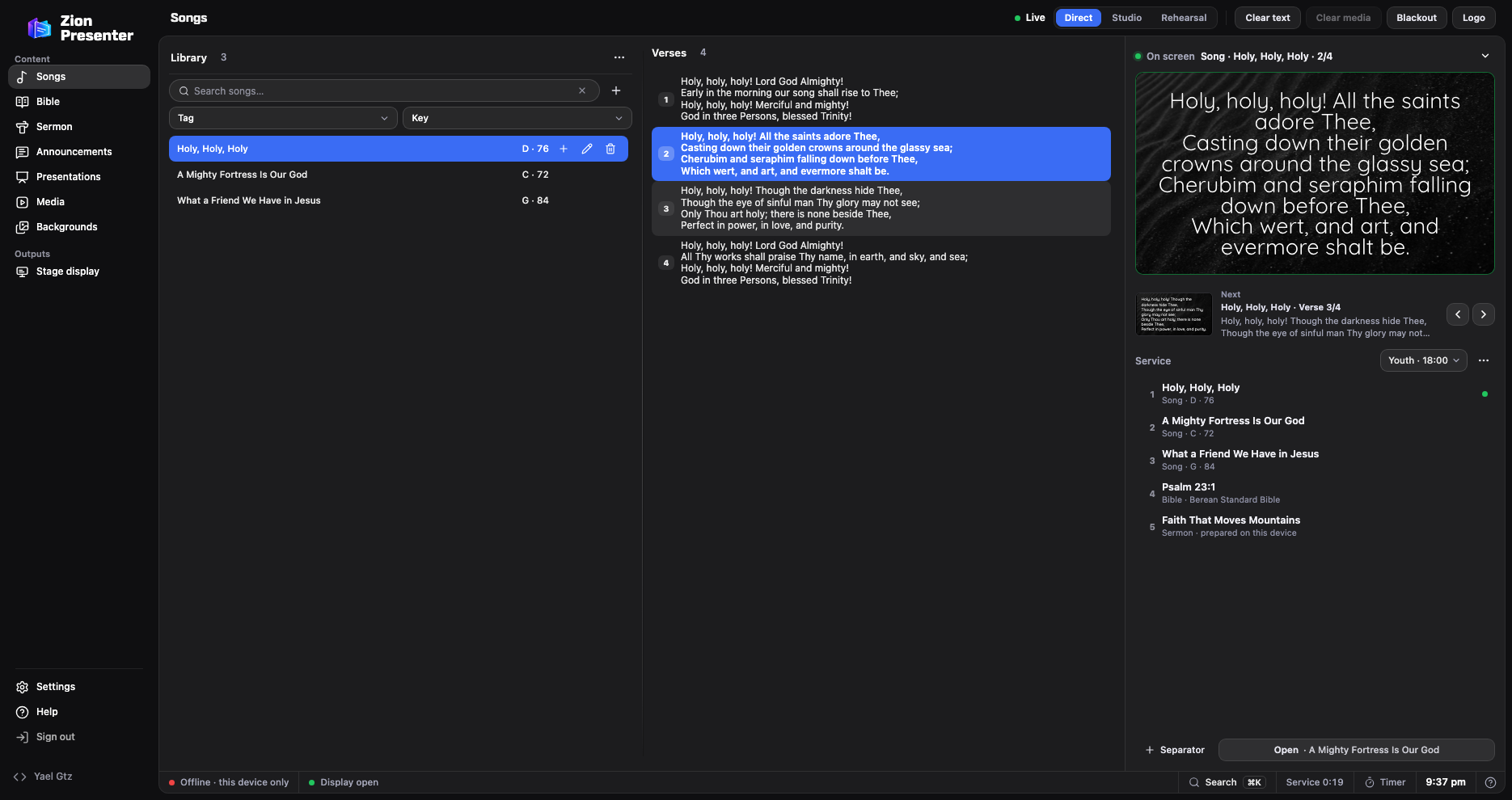
Zion Presenter projects songs, Scripture, announcements and the sermon from Windows, Mac or the browser. It’s free, works in English and Spanish, has no ads or subscription, and reads EasyWorship 2009, 6 and 7 libraries.
| EasyWorship 8 | Zion Presenter | |
|---|---|---|
| Price | 210 to 330 USD a year, depending on attendance | Free, no subscription |
| Computers | Several at the same location, on one license | As many as you want |
| Platforms | Windows, and Mac since EasyWorship 8 | Windows, Mac and the browser |
| Phone remote | Phone app | From the phone’s browser, with a QR code |
| Stage display | Yes | Yes, with what’s on screen, what’s next and messages |
| For the livestream | NDI with transparency | NDI with transparency in the Windows and Mac apps, plus the transparent viewer for OBS and vMix |
| CCLI SongSelect | Built in | Imports the song you download or copy from SongSelect, with authors and CCLI number, and builds the report |
EasyWorship prices and features from its pricing page and its feature list, checked in November 2026.
Four steps, and EasyWorship stays just as it was.
That way its files are complete and Zion can read them.
Public Documents › Softouch › EasyWorship › Default › v6.1 › Databases › Data. EasyWorship 7 uses the same folder.
In Songs, open the Library’s ⋯ menu › Import › EasyWorship. Choose Songs.db and SongWords.db together, or drag in the Data folder.
You see each song’s lyrics, its key and whether it has chords before you import it, and nothing is deleted.
The Berean Standard Bible, the World English Bible, the ASV and 13 in Spanish, with nothing to pay per version.
Scan the QR code and move through songs and verses without installing anything.
The title, points and Scripture references in your design, and the preacher sees what’s next on the stage display.
The musicians’ view shows the lyrics with chords, also in Do, Re, Mi, and changes the key.
With the Windows or Mac app, projection runs over your church’s own network: the phone and the screens connect there.
No watermark, no ads and no limit on songs or screens.
Zion can’t search SongSelect from inside the app yet: you download the song on its site and import it. Its NDI output is in the Windows and Mac apps; in the browser you stream with OBS. If you project in the sanctuary and stream from the same computer, Zion covers the whole service.
No. Zion only reads its files: EasyWorship stays the same and you can use both while you switch.
Yes. No ads, no subscription and no watermark, on every computer in your church.
For the full panel, yes, and it’s free. The demo opens without signing up, so you can try it first.
Yes: image and video backgrounds to choose from, and you can use your own.
EasyWorship and SongSelect are trademarks of their respective owners, and NDI® is a registered trademark of Vizrt NDI AB. Zion Presenter is not affiliated with them; it only reads the files EasyWorship and SongSelect save.