
Points that keep pace with the sermon
Number your points (1-, 2-…) and show them one at a time as panels on screen while the sermon moves along.
Show the sermon title, key points, Scripture references and the preacher’s name as the message unfolds, in a design you shape yourself. It all runs from one panel, inside the same app you already use for songs, Bible and announcements.
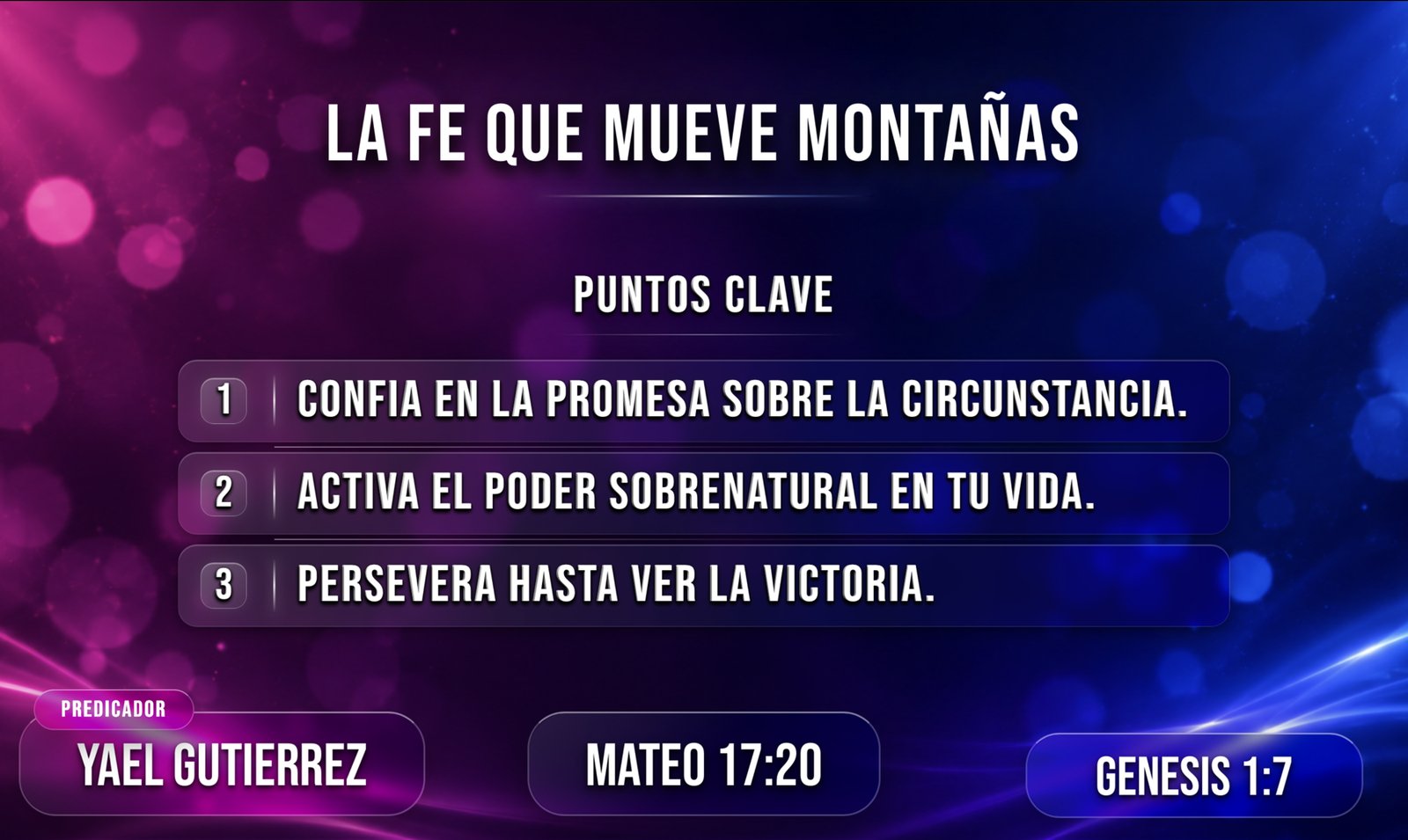
Sermon title, the preacher’s name and role, the main reference and your numbered points (1-, 2-, 3-…).
Pick a saved design or build your own in the editor. It’s optional: one comes ready to use.
Bring up each point and each verse right on time, without leaving the panel.
Number your points (1-, 2-…) and show them one at a time as panels on screen while the sermon moves along.
Search by book and chapter and send the verse to its own scene. The main reference and the last reference stay on screen, so no one loses the thread.
A visual editor for the Sermon and Verse scenes: move and resize every element, change fonts, colors, gradients and point panels, add images, and save your designs to use again.
Nothing you change in the editor reaches the screen until you press “Publish.” You can adjust the design in the middle of a service and the congregation never notices. Spotted a typo on screen? Double-click the text in the panel’s monitor and fix it right there.
Every element has its own animation for coming in and going out, with a cinematic transition ready from the start.
Present on a local or networked display, or capture it in OBS Studio with a transparent background to lay the text over your cameras. Blackout, freeze and a stopwatch are always within reach.
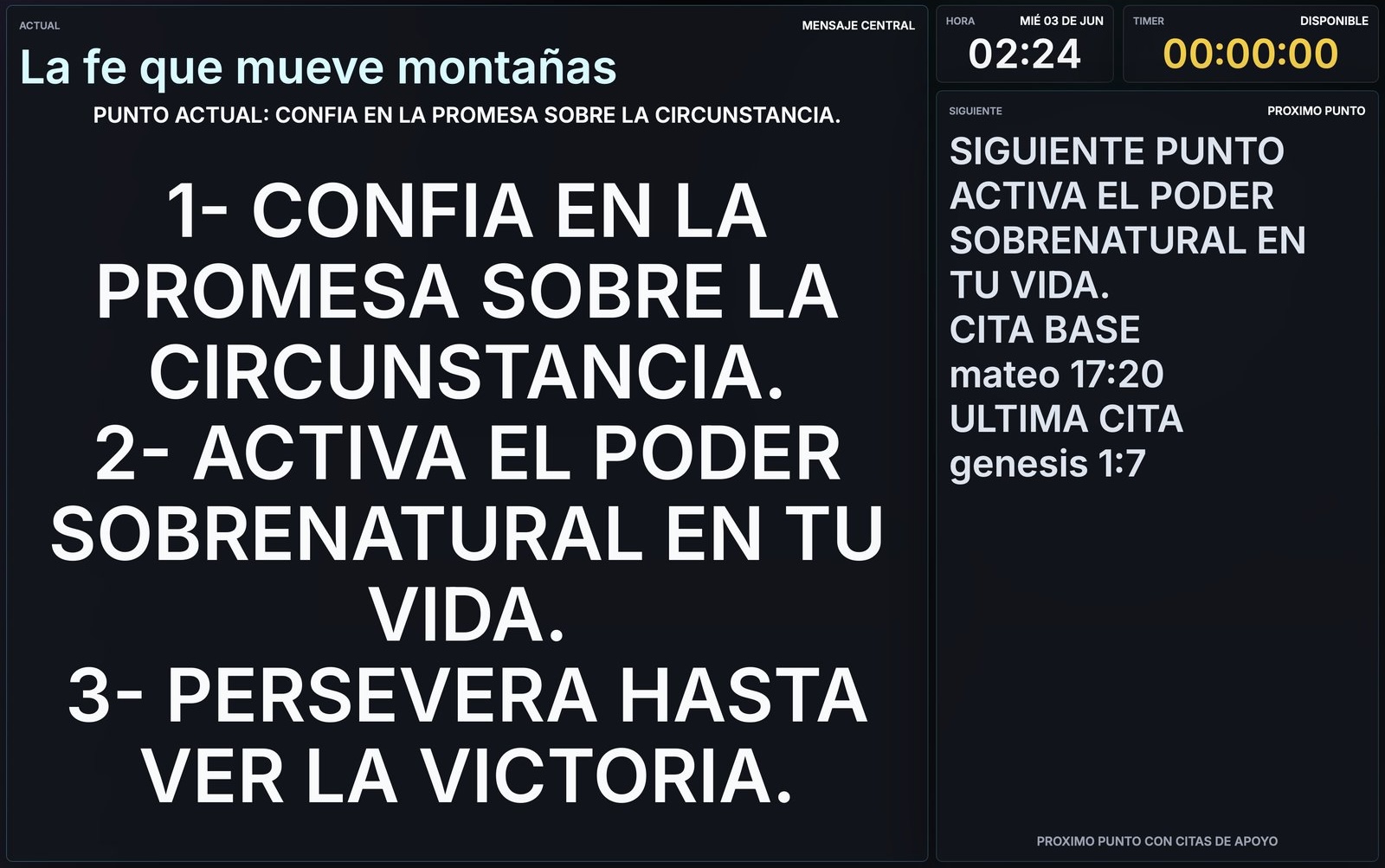
On the pulpit monitor, the preacher sees the current point, the next one and any notes the media team sends. Only the team sees it; the congregation keeps seeing the presentation.
Sermon Mode grew out of Zion Cast. What used to be a separate tool now lives inside Zion Presenter, with the same aim as ever: a message shared with clarity, beauty and purpose.